
How-to guide
Ask one confidential question at a time with Pulse
One short question at a time, on Home or in Slack, who sees the answers, and how administrators run it.
For Everyone using Shuffl
Have your agent do thisPaste the prompt into Claude Code, Cursor or another agent. It follows this guide over MCP and asks before it changes anything others will see.Show the promptHide the prompt
Help me with "Ask one confidential question at a time with Pulse" in my Shuffl workspace.

1. Read the guide: https://shuffl.ai/docs/markdown/pulse
2. Add Shuffl's MCP server: https://shuffl.ai/api/mcp
   Claude Code: claude mcp add --transport http shuffl https://shuffl.ai/api/mcp
   When the browser opens, choose my workspace and allow the access the guide needs.
3. Work through the steps in order: What employees see; For administrators; Start from a question set; Questions Mello suggests; Acting on results; Reminders. Do what you can over MCP and tell me which steps only I can do in the browser or in Slack.

Show me what you will change and who it affects, and wait for my yes before publishing, inviting or sending anything.
On this page
App links open your signed-in workspace. Check the selected workspace before making changes.
What employees see
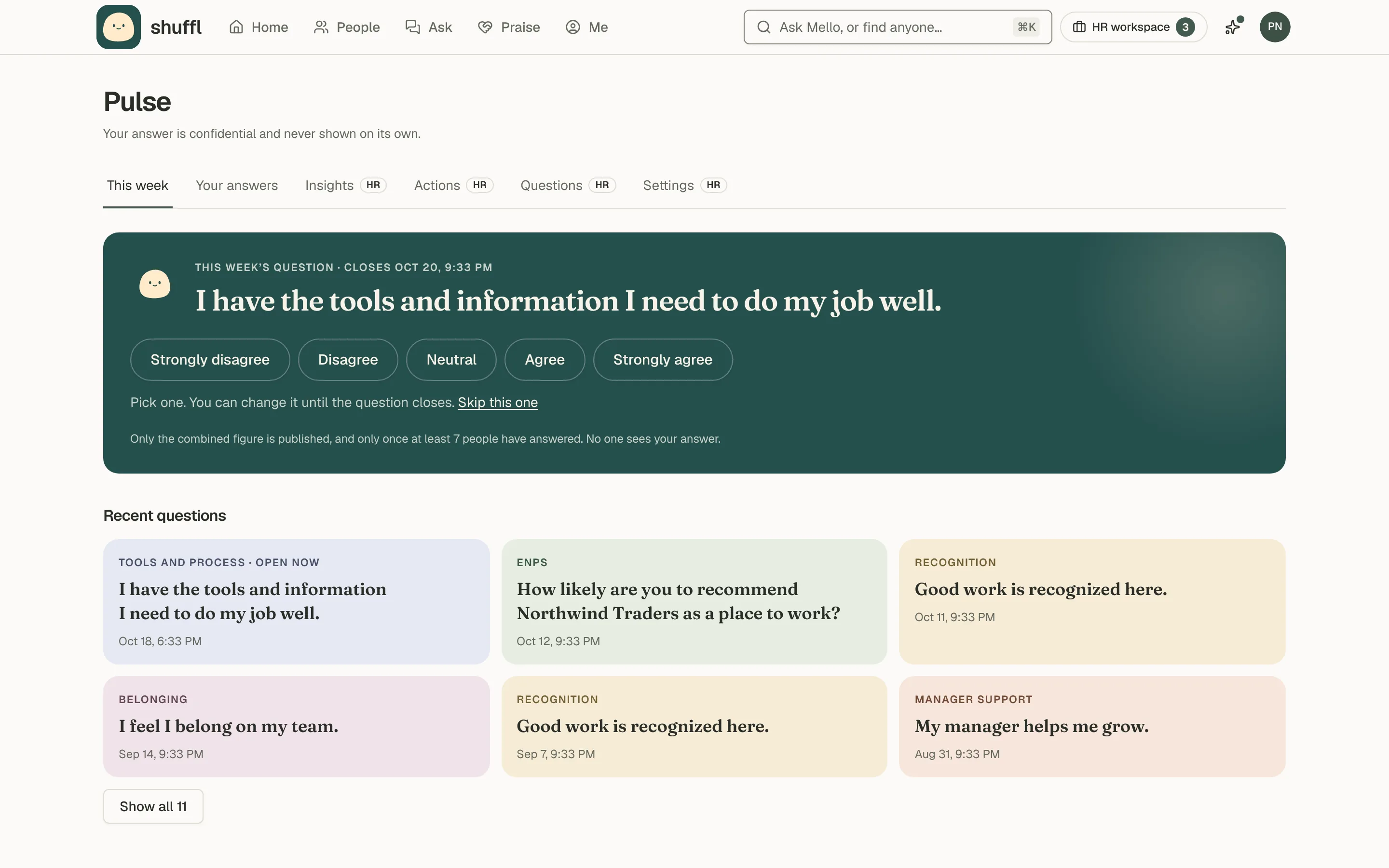
- Tap an answer: Strongly disagree to Strongly agree, Yes or No, 1 to 5, or 0 to 10 for eNPS.
- The message changes to Thanks, recorded, with how many have answered, never your answer.
- Change answer works until the question closes (48 hours unless your administrator changed it, or when the next one opens), on Home or in Slack.
- Then it reads This one’s closed, with the share who answered.
- Choose Skip this one to skip. A skip is not an answer and is not reported.
- In Slack or email, Need help with this? opens a conversation with Mello or a private request to HR under your name, carrying no question or answer.
Mello asks one short question on your workspace’s schedule.
It appears on Home as Today’s question and in Slack as Quick one from Mello · 10 seconds, with who sees your answers in the small print. It stays on the Shuffl app’s Home tab until you answer.
Without a linked Slack account it comes by email.
Your first question carries the full notice from Who sees what; later ones carry a short version.
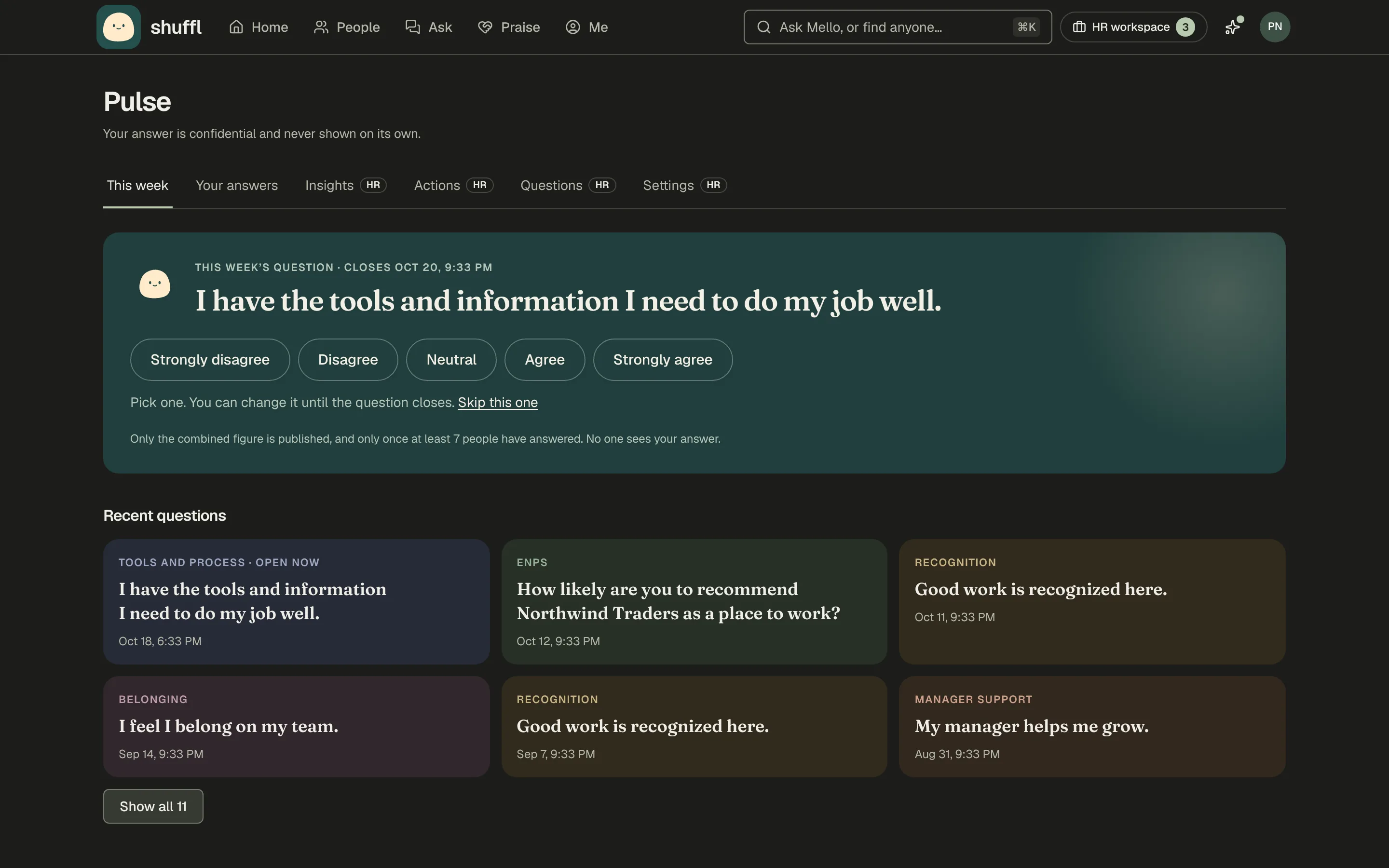
Pulse has two tabs for everyone: This week, the open question and recent ones, and Your answers, with your streak, turnout and what HR changed because people answered.
Between questions, Pulse says No question open right now, when the next one goes out and how many answered the last one. Home shows the same on its Next Pulse question tile.
Someone who joined after this week’s question went out sees Your first question is on its way, with when the next one goes out, on Pulse and on Home alike.
If administrators share results, Recent questions shows the combined figure for each closed question asked to everyone, such as 72% favourable, once enough people answered.
ShufflAPP
ShufflAPP
ShufflAPP
Who sees what
This is the notice every employee reads before their first question. Your answers are confidential, not anonymous: HR sees totals for groups of 7 or more people, never your answer or your name next to one.
You can skip any question, and skipping tells nobody anything.
Confidential, not anonymous means Shuffl knows who answered, to count participation. The answers are stored separately under a token that no role, export, report or agent can read.
A total shows only when 7 or more people answered; below that, HR sees Too few and the participation share. Results freeze when the question closes.
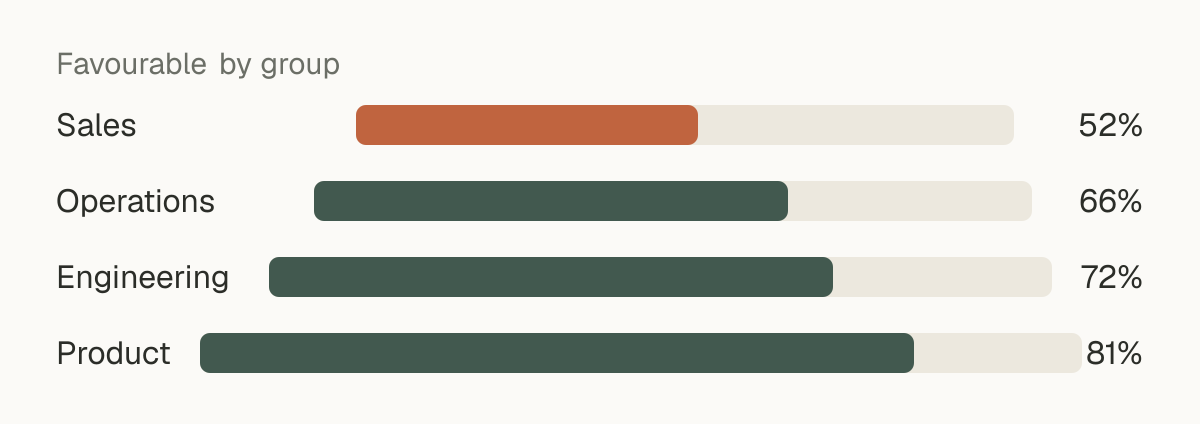
Results by group, department, managers and ICs, and tenure follow the same floor. When a small group is hidden, enough others are hidden with it that nobody can subtract their way to it.
Each person is in one department, so departments never overlap. Other groups can. So a group is also hidden when fewer than 7 people are outside it. The same applies when it and another shown total would reveal fewer than 7 people by subtraction.
Slack keeps its own copy of the direct message under your workspace’s retention and export settings. The question text is not confidential; the tap is, and it travels only to Shuffl.
For administrators
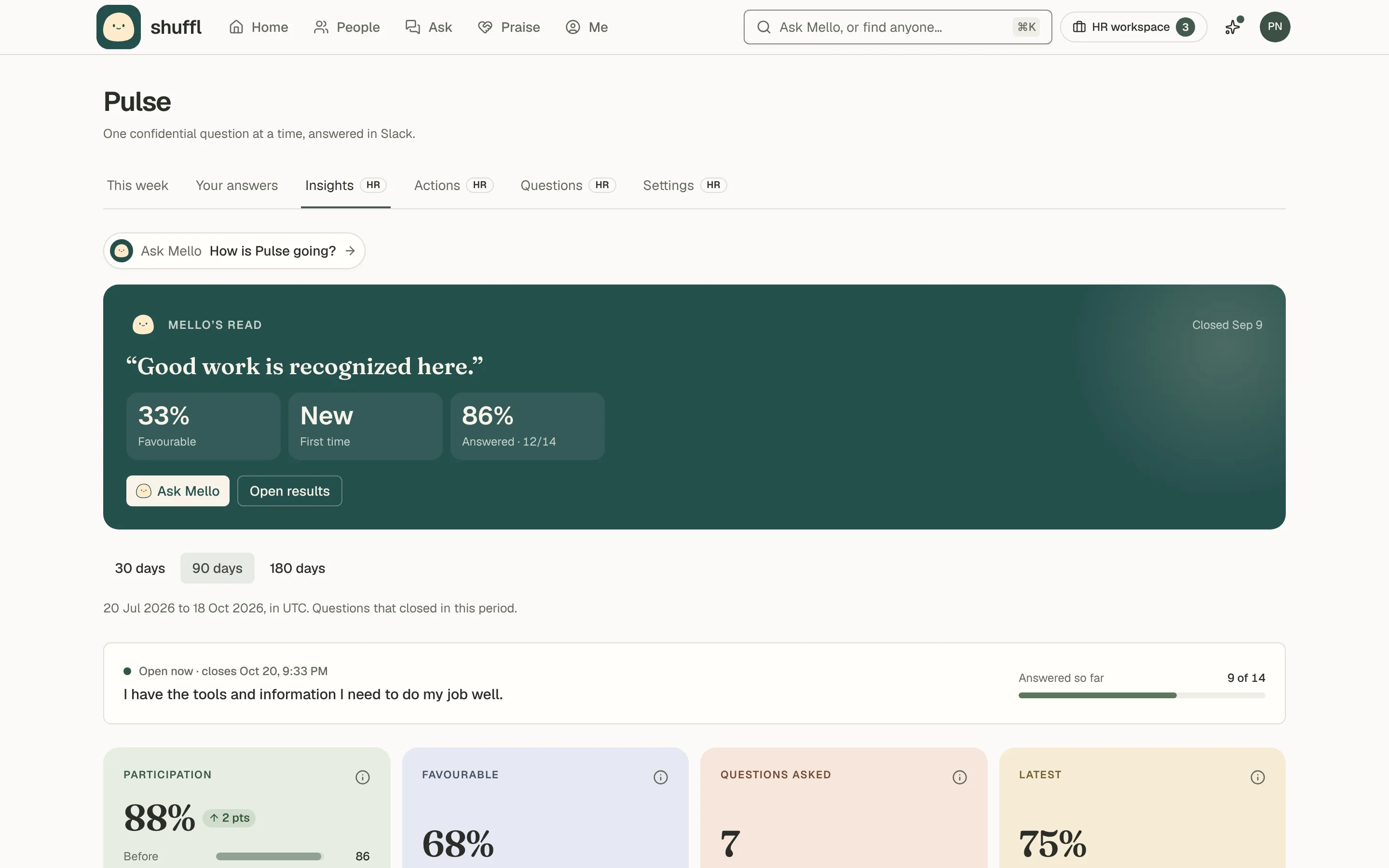
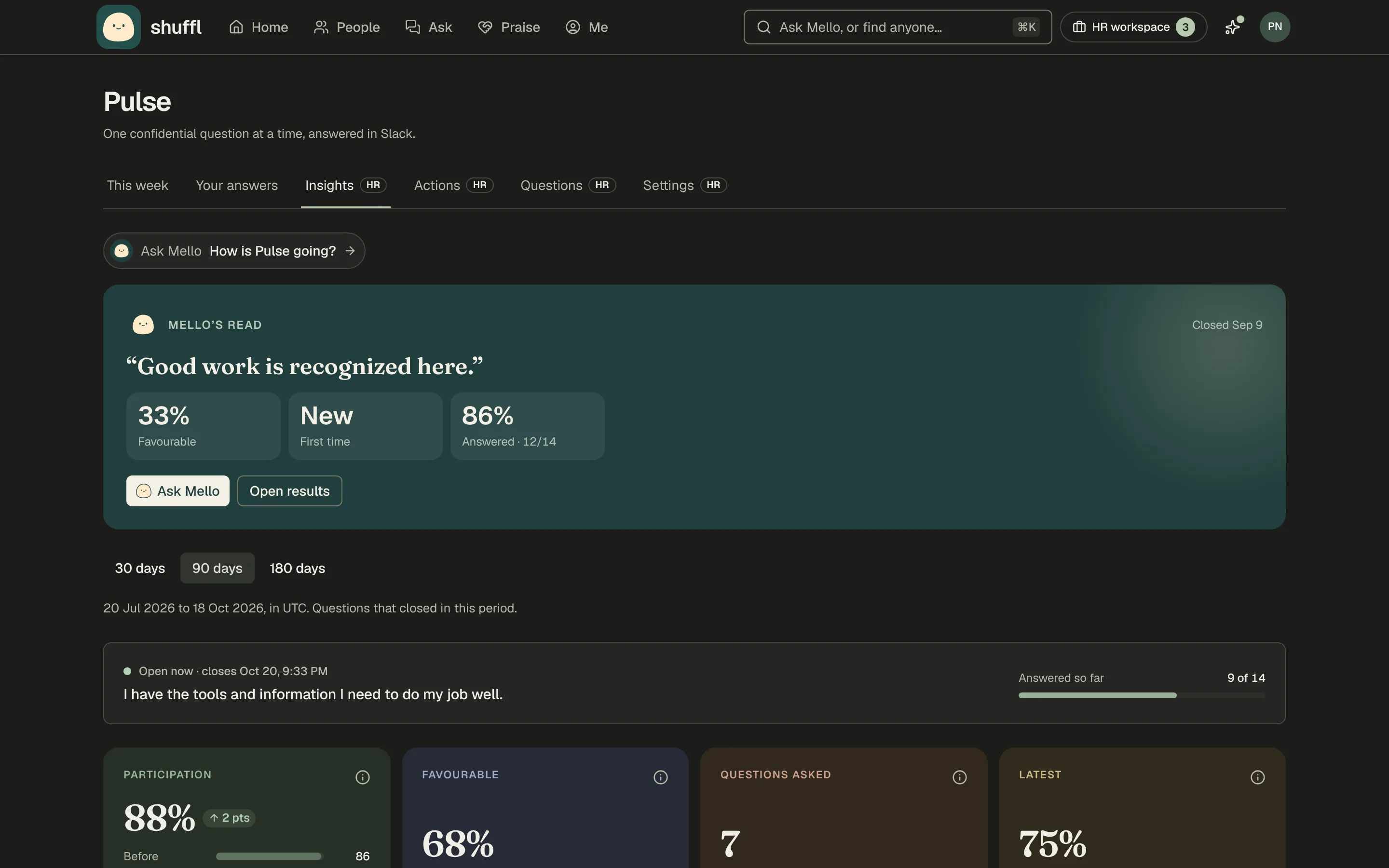
- Open Pulse from the HR workspace and choose the Insights tab: participation, favourable share, eNPS and results by driver, week and group, with example figures before the first question closes.
- Questions holds the question bank; Settings holds the cadence, reporting floor and AI switch.
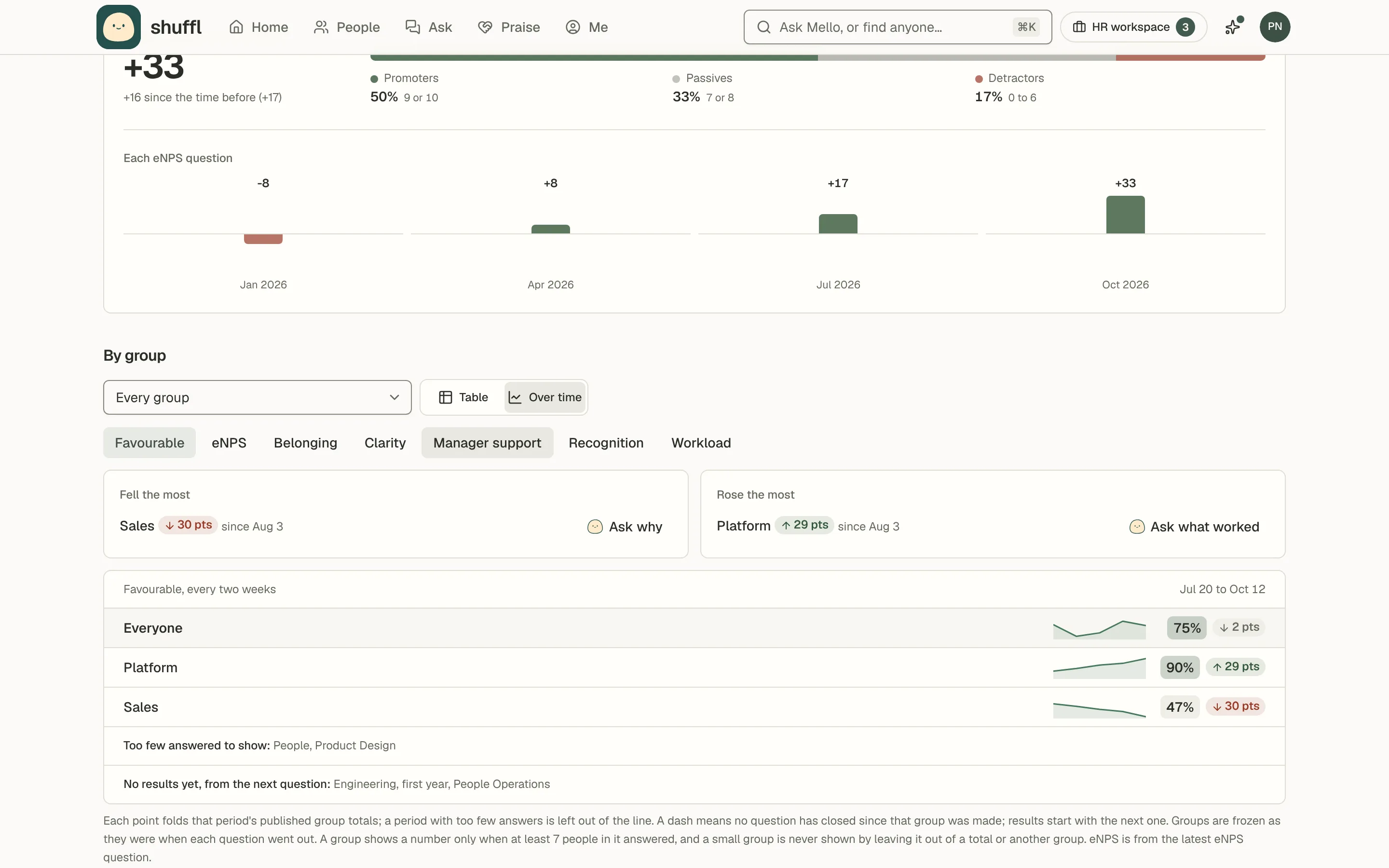
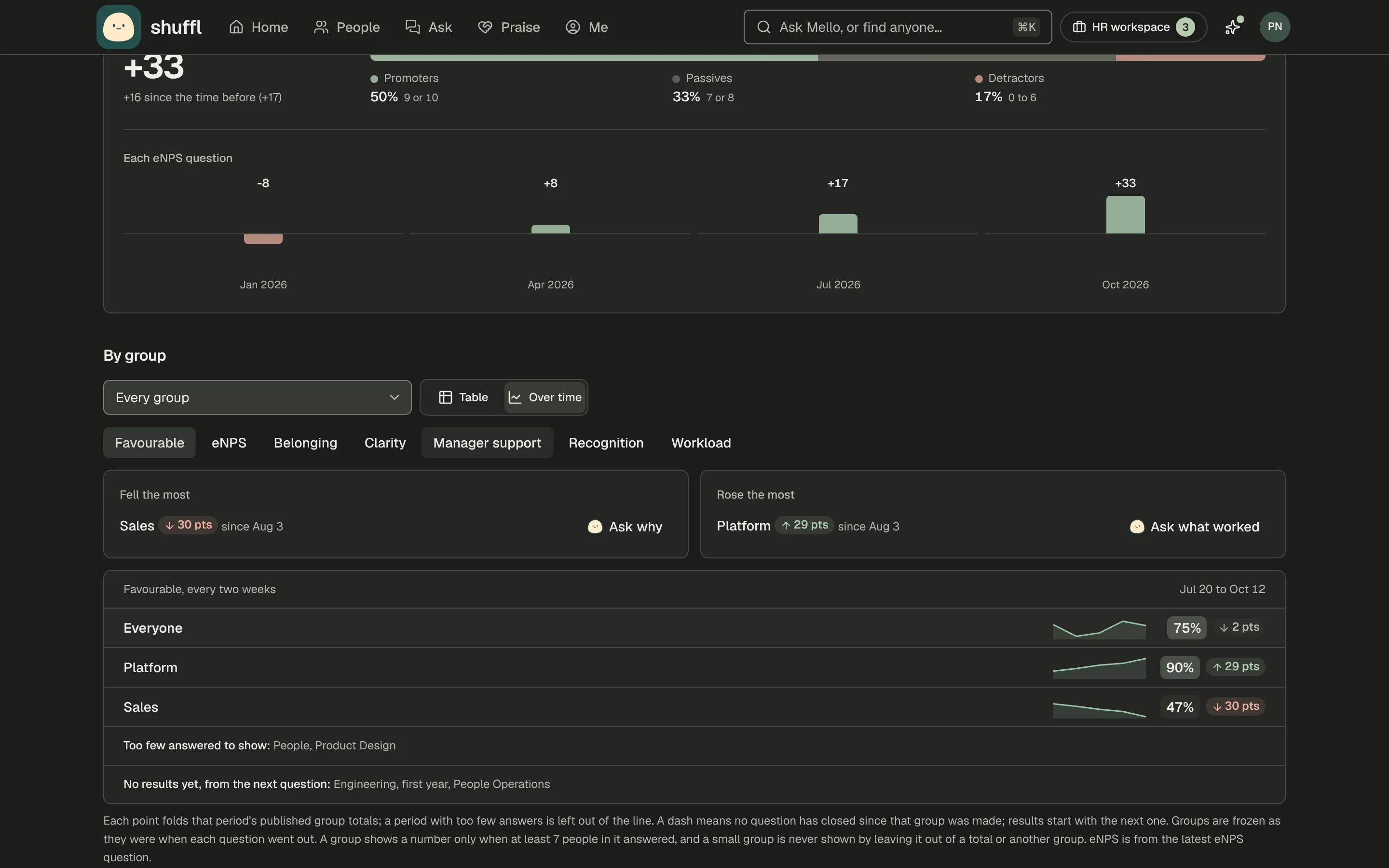
- Under By group, choose Over time for a line per group: weeks over 30 days, fortnights over 90, months over 180.
- Pick Favourable, eNPS or a driver. Fell the most and Rose the most list moves of 5 points or more, each with Ask why.
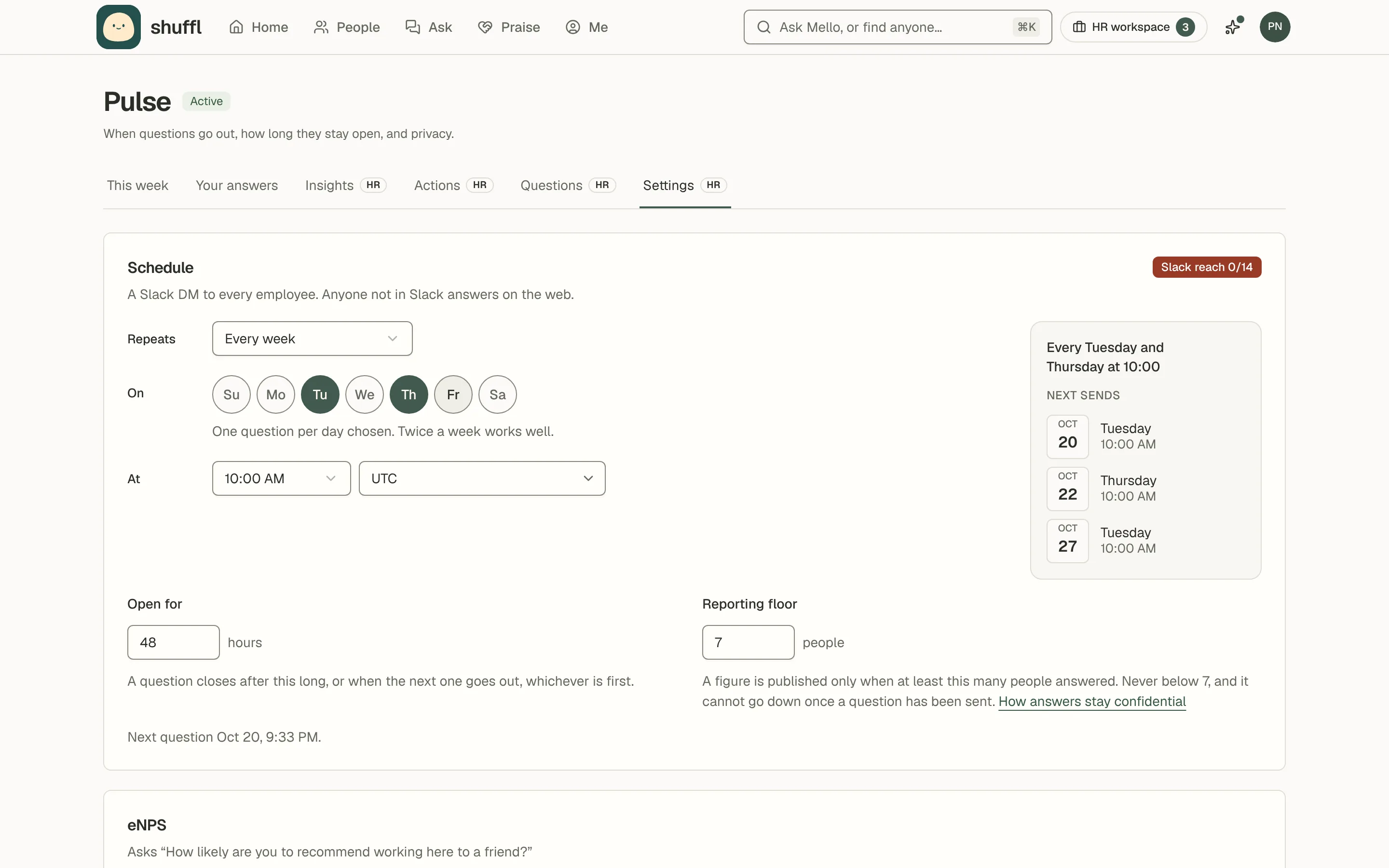
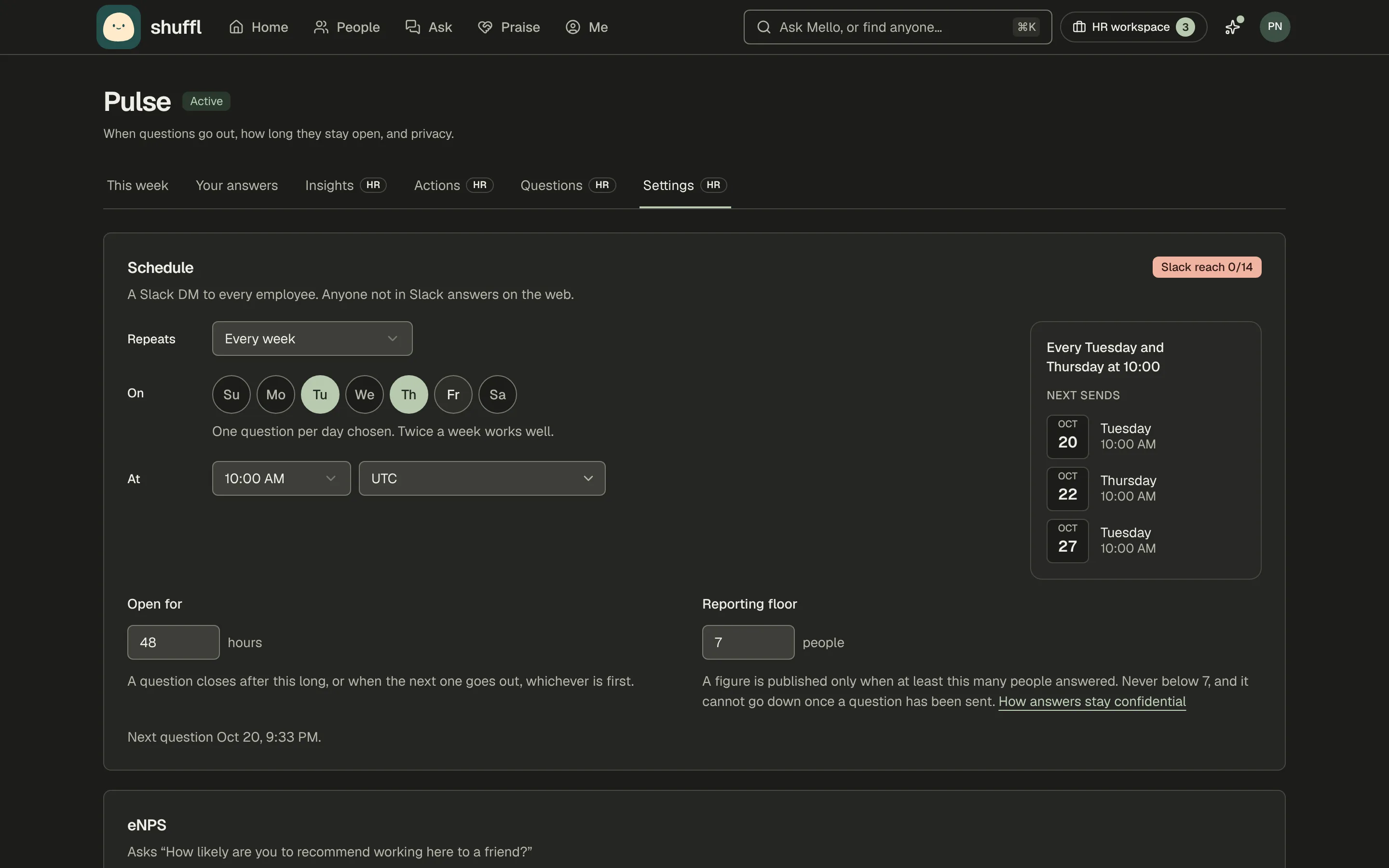
- Choose Start pulse and pick how often under Repeats; Every Tuesday and Thursday at 10:00 is the default.
- Tap the day circles to choose days, or use Custom for any gap. Open for (1 to 168 hours, 48 by default) sets how long a question stays open.
- Check the reporting floor: it starts at 7 people and can only go up, from the next send.
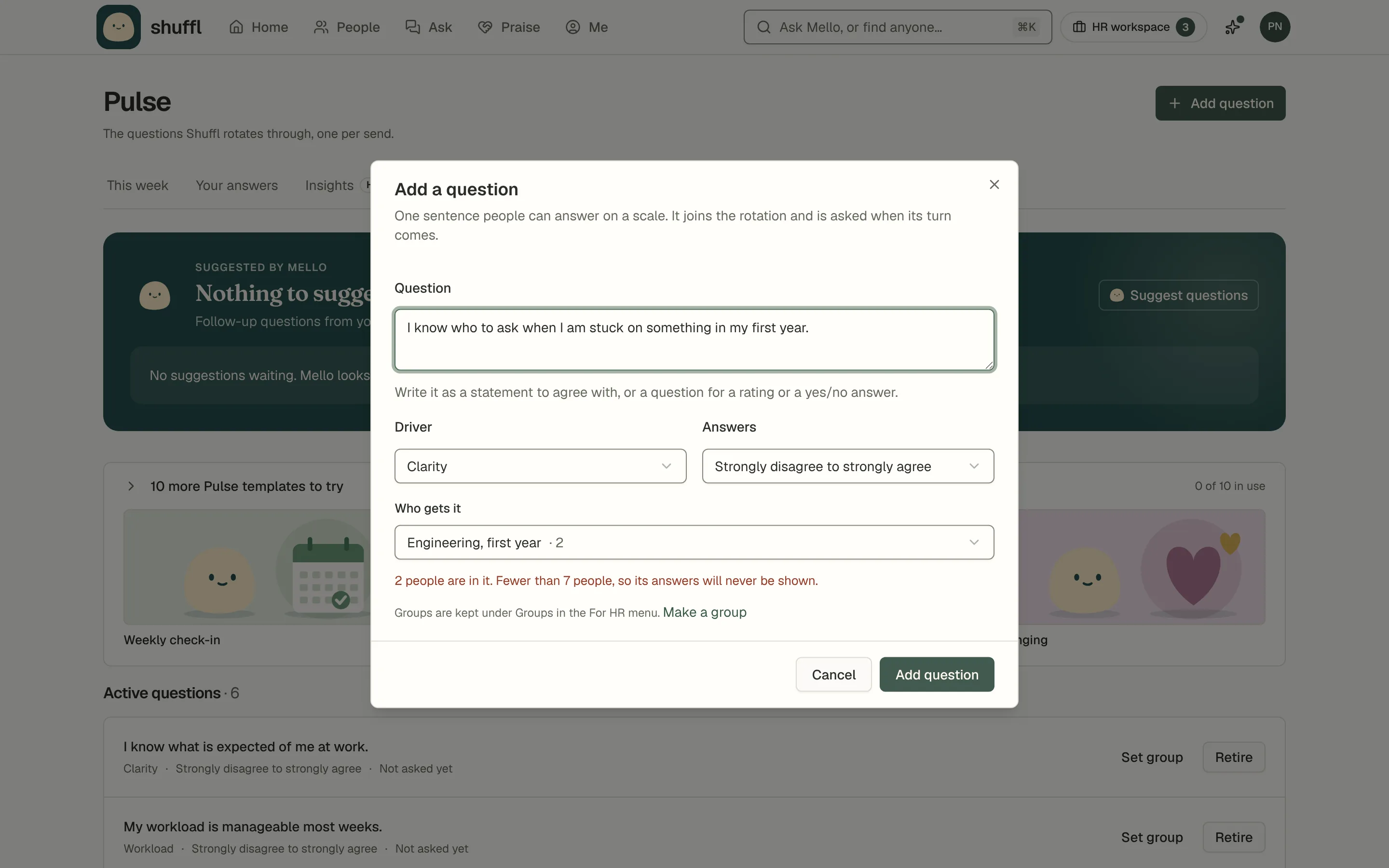
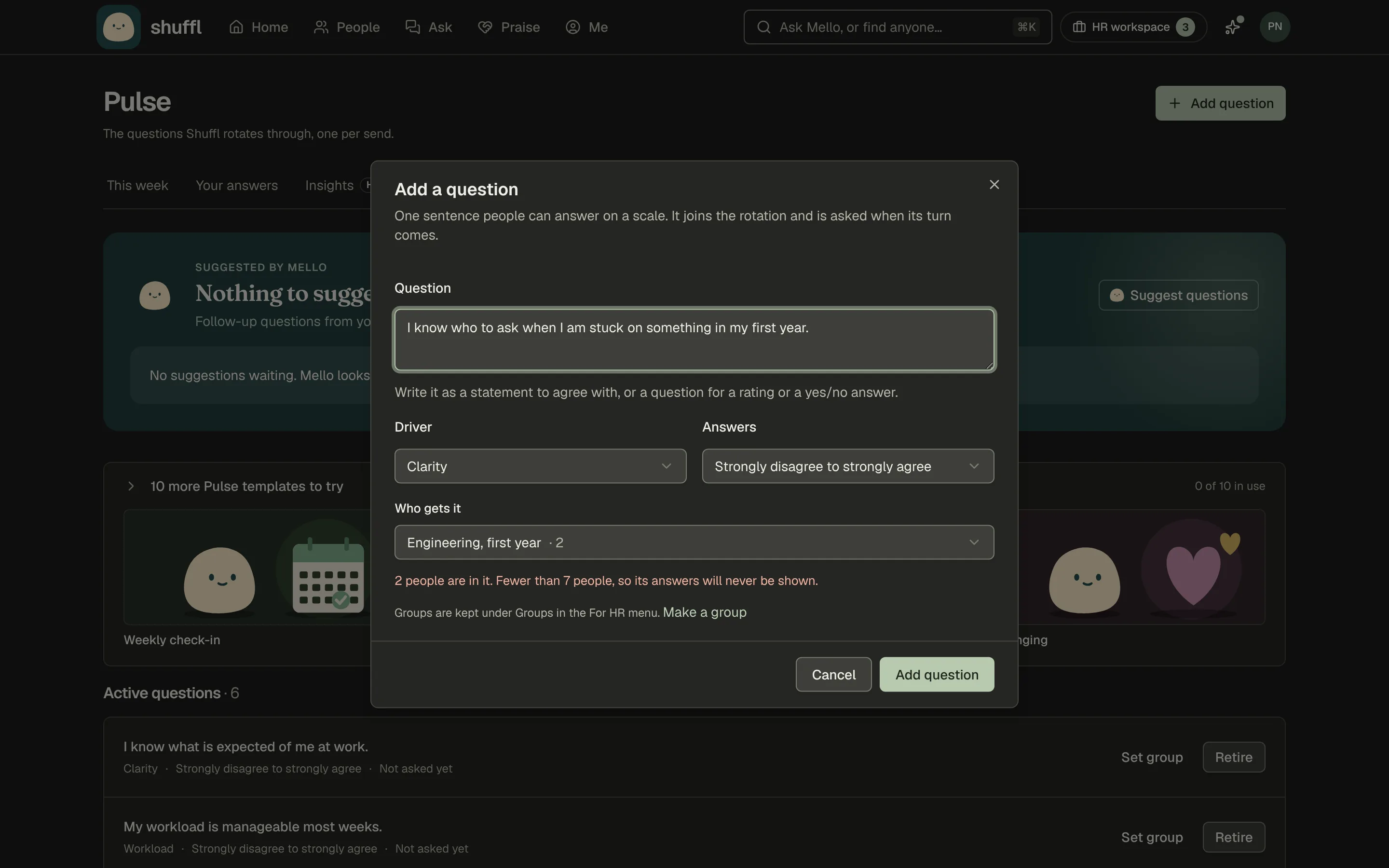
- To aim a question at part of the company, choose Set group on Questions and pick a group from People → Groups.
- The picker warns when the group is under the floor, since its answers would never show. eNPS always goes to everyone.
- When a question closes, administrators get Pulse results are in, in Slack or by email.
- It carries the result, the change since last time (such as ↑ 6 pts), who answered, the widest gap between groups and a button to ask Mello.
- Turn it off under Pulse results in your notification settings.
- Decide whether Mello may work with results. With Summarise trends with AI on, Mello reads published totals, never answers, to say what moved and what to ask next.
- Decide whether employees see results. With Share results and Show everyone the results on, each closed question asked to everyone shows its combined figure under Recent questions.
- The figure shows once the floor was met. Splits and questions asked to a group stay with administrators.
ShufflAPP
📊 Pulse results are in
Start from a question set
- Open Pulse from the HR workspace, then the Questions tab.
- Once you have questions, the sets sit in a closed list, such as 10 more Pulse templates to try, with a few shown as tiles.
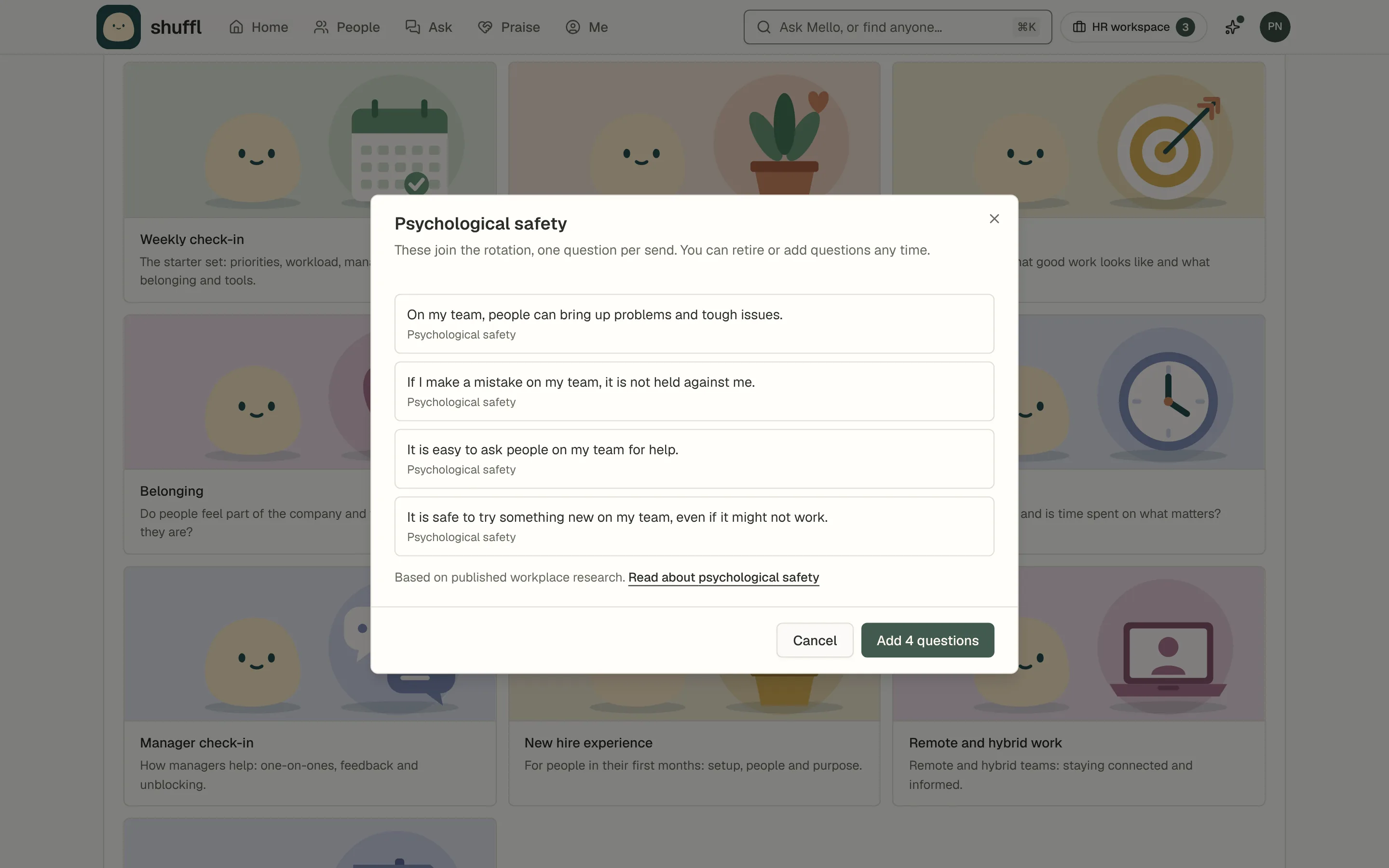
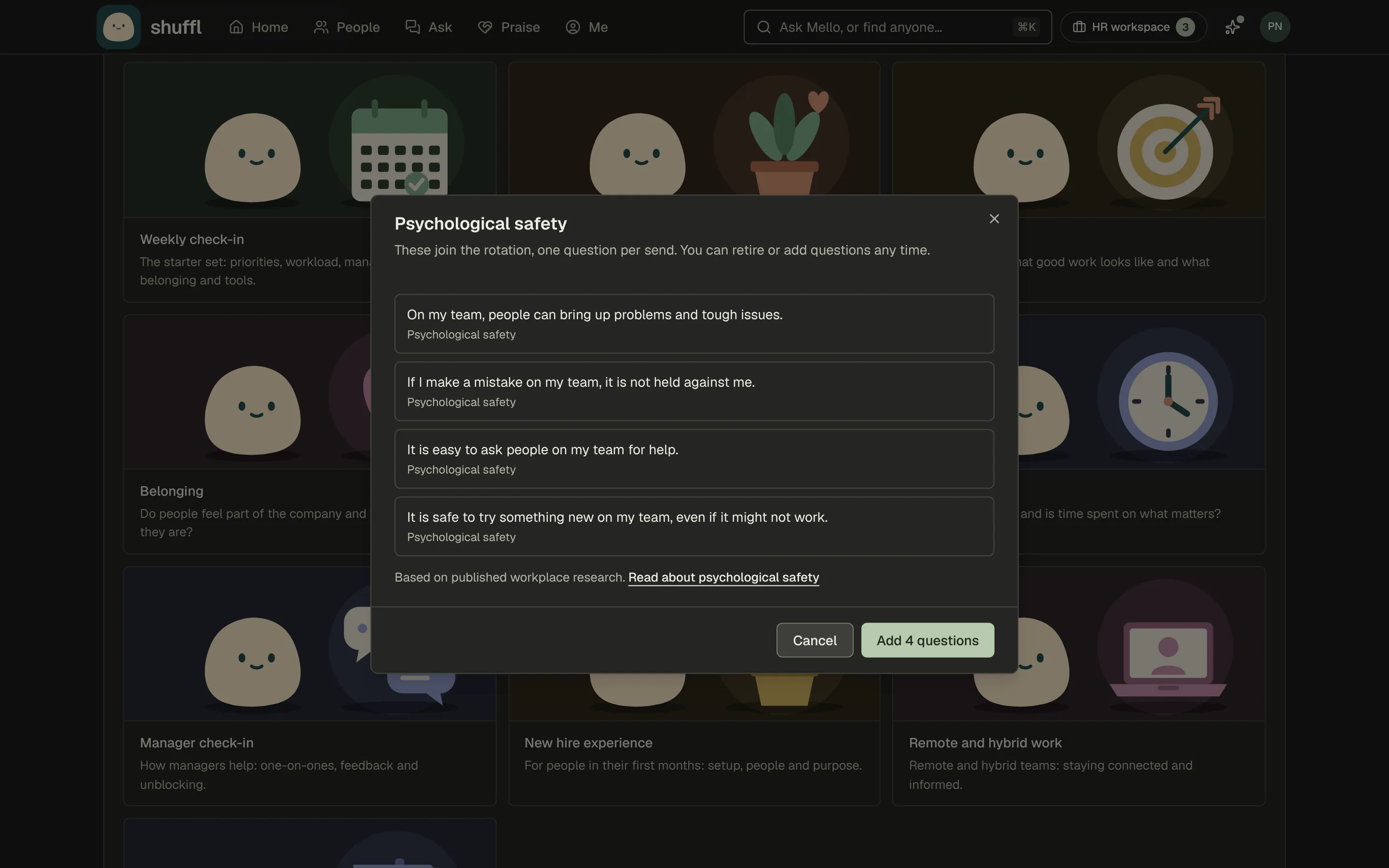
- Choose a set to preview its questions and the driver each one measures.
- Choose Add N questions. They join the rotation, one per send. Reword or retire any of them later.
A new workspace opens Questions on What should Pulse ask about? with ten question sets, such as Weekly check-in, Wellbeing and New hire experience. Choose Write your own to start blank.
Clarity, Belonging, Psychological safety and Workload are based on published workplace research, in our own short wording, and each links to a glossary page. Psychological safety is its own driver in Insights.
Open one question
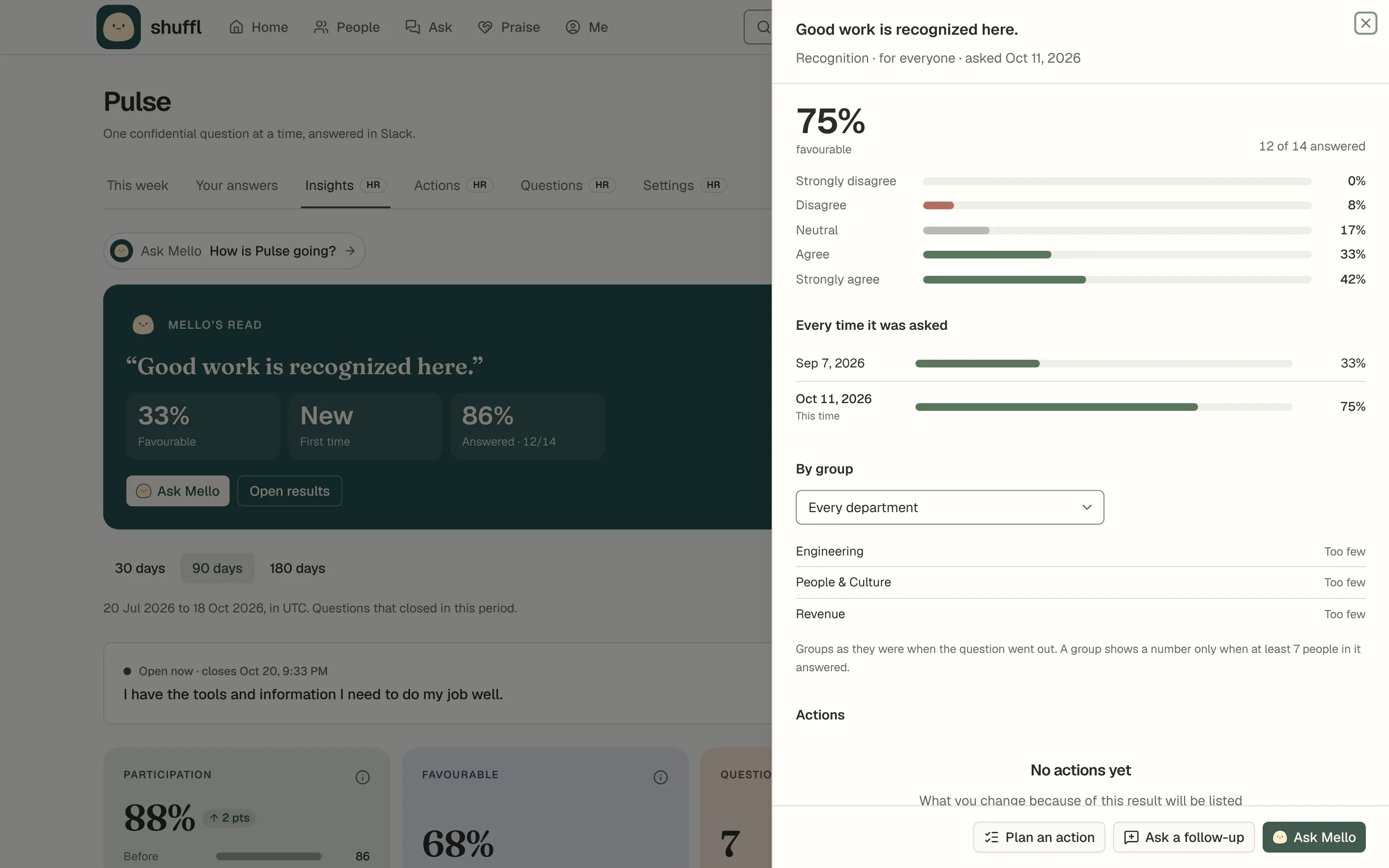
On Insights, choose a closed question to open it in a side panel, with a link you can share with another administrator.
The panel shows the result and how many answered, the spread of answers and Every time it was asked. By group compares groups, departments, managers and ICs, or tenure under Show results by.
Groups are frozen as they were when the question went out. Actions lists what you change because of the result.
Plan an action starts an action from this result. Ask Mello about this opens Chat with the question and its earlier sends; Mello answers in a few lines with what stands out and what to try. Ask a follow-up asks Mello for one more question.
Questions Mello suggests
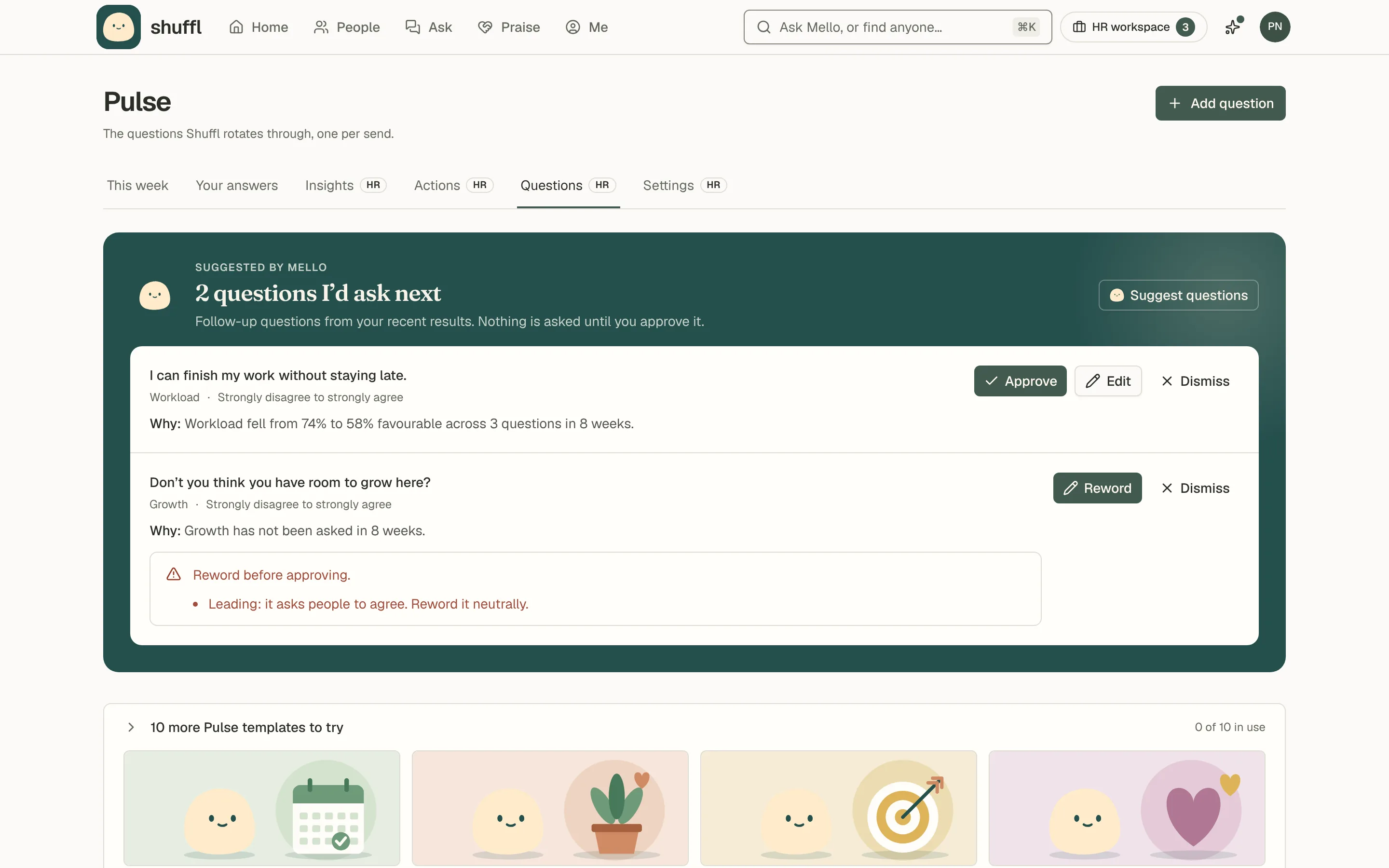
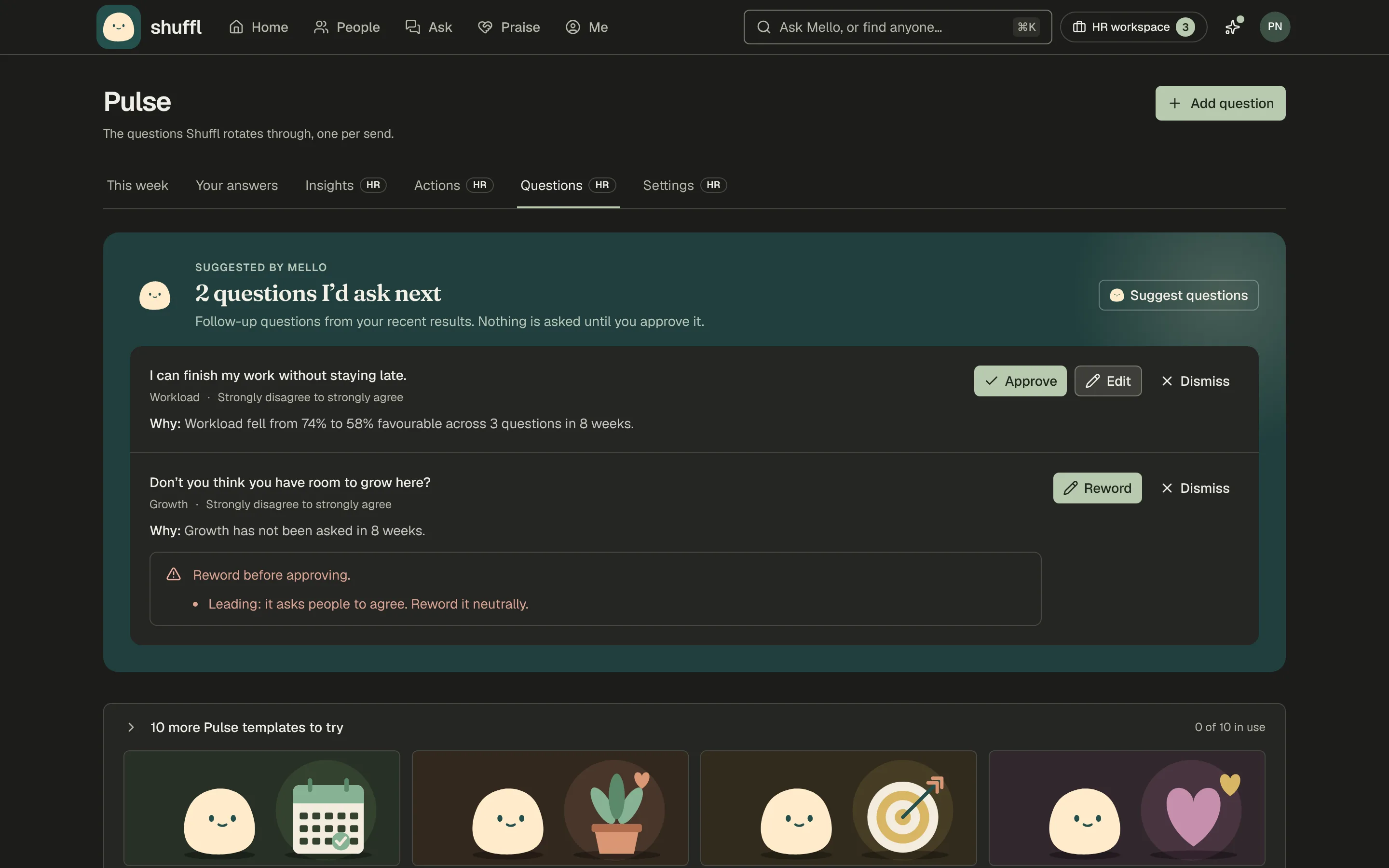
- Open Questions. Suggested by Mello lists what is waiting. Approve adds a question to the front of the rotation, worded exactly as shown.
- Choose Edit to reword it first, or Dismiss to drop it. Mello does not suggest the same wording again.
- Every suggestion is checked for leading wording, personal topics such as health, religion or pay, and two questions in one; one that fails must be reworded before approval.
- Choose Suggest questions for up to three now, optionally on a topic, or ask Mello in Chat or Slack. They arrive as suggestions, never as live questions.
With the AI switch on, Mello suggests up to two follow-up questions a week, each with one line on why, such as Workload fell from 74% to 58% favourable. Owners and administrators get each in Slack or by email, with Approve and Dismiss.
Mello reads only the last eight weeks’ published totals and the wording already asked, never an answer, a group under the floor or a name.
In Chat, ask Mello to draft follow-up questions about a result. Its card lists each question with its scale and why, and saving adds them to Suggested by Mello.
ShufflAPP
eNPS
eNPS asks How likely are you to recommend working here to a friend? on a 0 to 10 scale, every quarter by default, replacing that day’s question. Change how often or turn it off under eNPS in Pulse settings.
People who answer 9 or 10 are promoters, 7 or 8 passives, 0 to 6 detractors. The score is promoters minus detractors, from -100 to +100, under the same reporting floor. Insights shows the latest score, its split and the trend over eight eNPS questions.
Acting on results
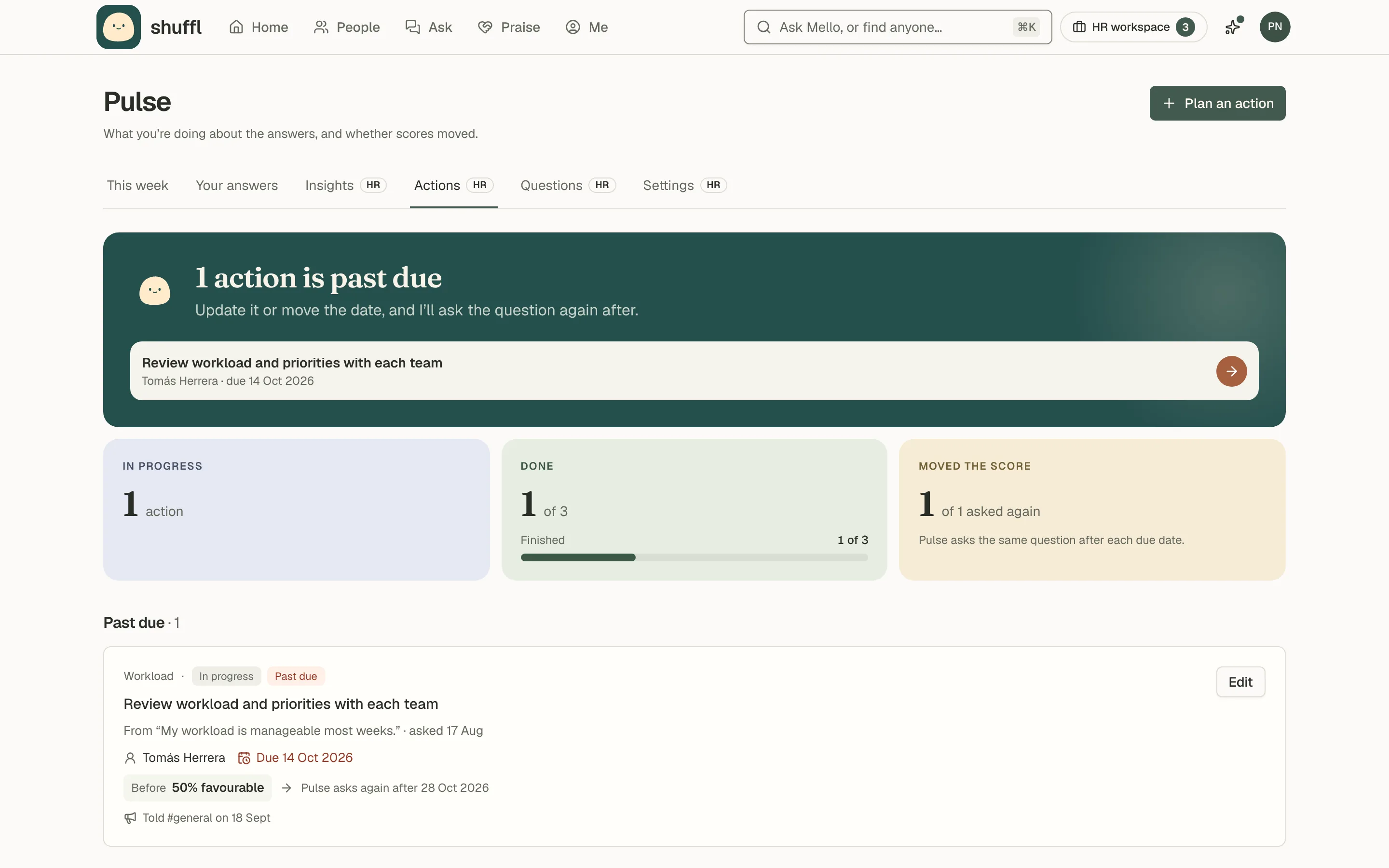
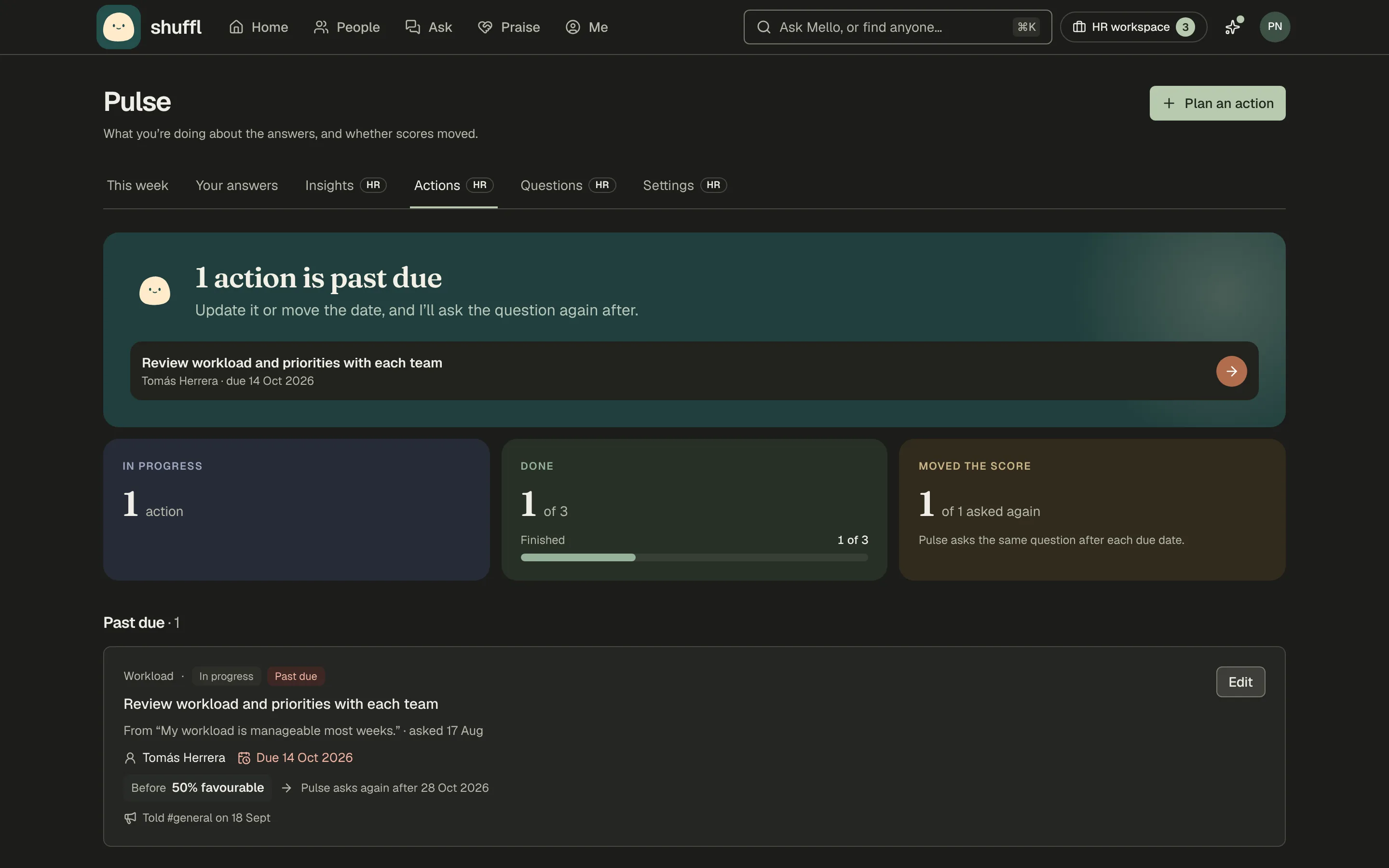
- On Insights, open a closed question and choose Plan an action, or open Actions and choose Plan an action.
- Write the action, or choose Draft with Mello. Pick an owner and a due date. Leave Ask this question again on to see if it helped.
- Choose Tell people, edit the draft, pick a channel and whether to message everyone who was asked, and post.
- Mark the action Done when it is. Mello can also list, plan and update actions in Chat.
An action is what you will do about a closed question, with an owner and a due date. Overdue actions show in the Inbox and on Home until marked done or dropped.
Pulse asks the question again on the first send two weeks after the due date, to the same audience. The action shows the result before and after, each side under the reporting floor.
Tell people sends one "You said, we did" message to a Slack channel Shuffl is in and to everyone who was asked.
Mello drafts it from the published result and the action, never from answers, and you edit it first. A retry never sends it twice.
ShufflAPP
Reminders
- In Pulse settings, turn on Send Pulse reminders and choose The next day or Before it closes.
- Each person can change or turn off reminders under Pulse check-ins in their notification settings.
When reminders are on, anyone who hasn’t answered or skipped gets one reminder per question, in Slack or by email, in their working hours on a day you chose.
In Slack, Mello turns the question’s own message into the reminder, so there is only one message to answer.
Answering, skipping or choosing Need help with this? means no reminder. Nobody but you sees that you were reminded.
ShufflAPP
ShufflAPP
What is never built
Pulse has no individual scores, no manager dashboards, no free text and no benchmarks against other companies.
Nobody is ranked, scored or flagged from their answers, and a pulse answer never appears in a chat with Mello.
Retention
Answers are deleted 90 days after the question closes. Reports, the frozen totals above the floor, are kept so you can compare over time.
Deleting an answer in Shuffl doesn’t remove Slack’s own copy of the message.