
HR playbook
Answer benefits and policy questions at scale
Turn the HR questions you answer every week into a knowledge base people use, with a clear, private route to a person when the answer isn’t there.
For HR teams of one to five people at growing companies
Most HR inboxes hold the same questions on repeat: how much leave is left, when open enrollment closes, how to claim an expense. Each one takes a few minutes. Together they take the week, and the person asking waits for an answer they could have read.
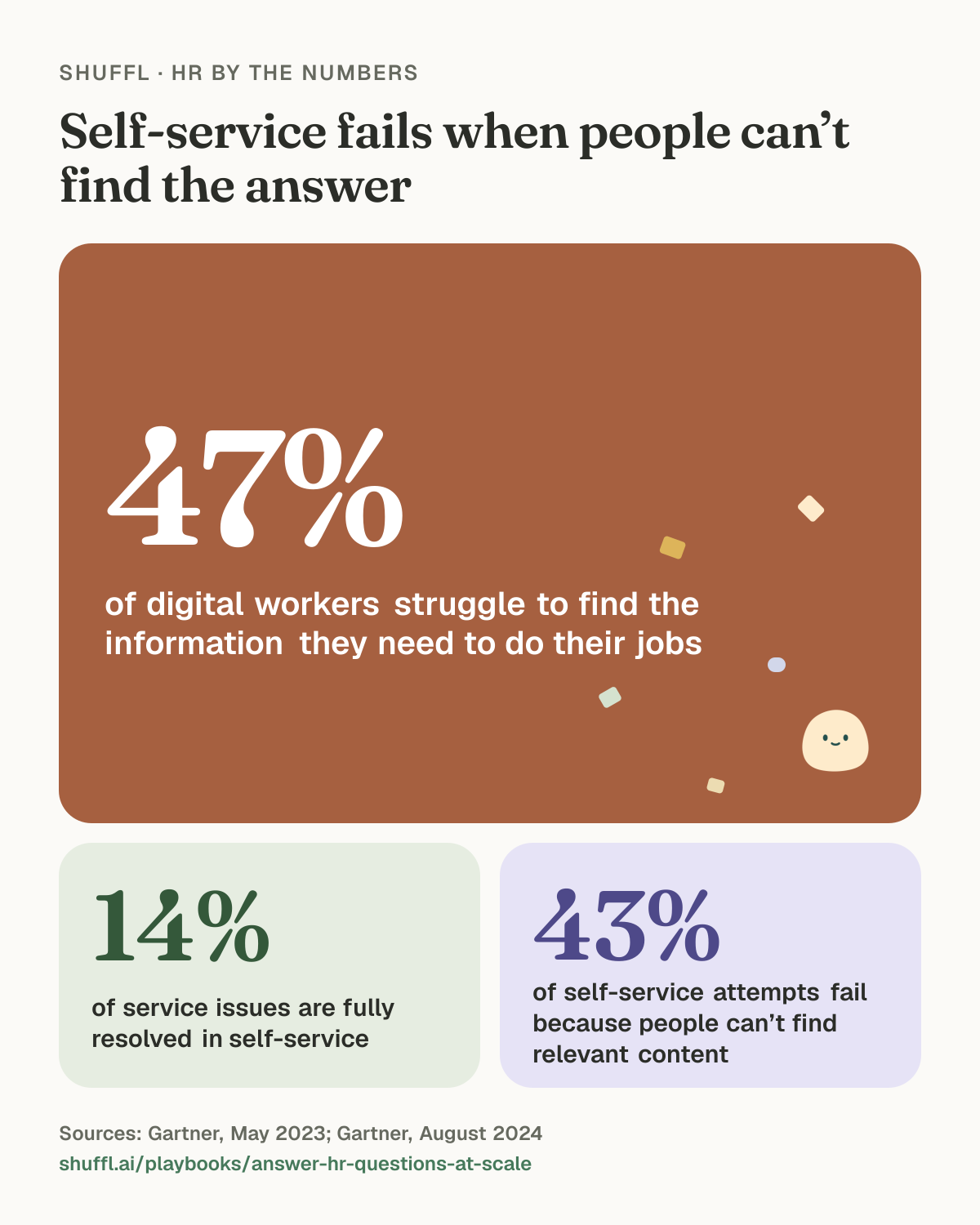
Self-service fixes this only when people find the answer. In a Gartner survey of 5,728 customers, just 14% of service issues were fully resolved in self-service, and in 43% of cases people couldn’t find content relevant to their issue2. So the work is mostly writing the right answers and keeping a person one step away.
Why it matters
People already struggle to find what they need at work. In Gartner’s 2022 survey of 4,861 employees, 47% said they struggle to find the information or data they need to do their jobs well1.
Handing them a portal doesn’t fix that on its own. Even for issues customers called very simple, only 36% were fully resolved in self-service2. That research covers customer service, but the lesson carries over to HR: the content has to exist, match how people phrase the question, and hand off to a person when it runs out.
Shuffl · HR by the numbers
Self-service fails when people can’t find the answer

Self-service fails when people can’t find the answer. 47% of digital workers struggle to find the information they need to do their jobs (Gartner, May 2023). 14% of service issues are fully resolved in self-service (Gartner, August 2024). 43% of self-service attempts fail because people can’t find relevant content (Gartner, August 2024).
The plan
Treat this as a small, steady practice rather than a project. The first pass takes a couple of weeks; after that it’s an hour or two a month.
- Count before you write. Export eight weeks of HR emails, direct messages and tickets, tag each with one topic, and rank the topics by volume.
- Write one page per topic, in employees’ words. Title it with the question (“How much time off do I get?”), put the answer in the first two lines, then the details.
- Put answers where people already ask. If questions arrive in Slack, the answer should be reachable from Slack, not three clicks deep in an intranet.
- Decide what always goes to a person and say so on every page, with how to reach HR and how fast you reply.
- Close the loop. When a question reaches HR, either link the page that answers it or write the missing page from your reply.
- Review monthly. Read the questions nobody could answer and the answers people flagged as wrong, then fix the source.
What should always reach a person
Self-service is for the questions where the answer is the same for everyone in a group. The rest needs a person, and the route there should be one step, private and clearly owned. Set a first-reply target, such as one business day, and keep sensitive topics visible only to the people who handle them.
- Anything about one person’s pay, tax or a payroll error.
- Medical leave, accommodations and anything health related.
- Complaints, harassment and concerns about a manager.
- Exceptions to a policy, which need someone with authority to decide.
- Anything the person says is urgent or upsetting.
A worked example
A 300-person company has two people in HR. Over eight weeks they log 400 questions. Ten topics account for about 260 of them: time off balances, sick leave, payroll dates, expense claims, benefits enrollment, parental leave, holidays, remote work, letters for landlords and banks, and updating bank details.
They write ten pages over two weeks, each titled with the question and owned by one of them, with a review date tied to the benefits renewal or the new year. Each page ends with “Still need help?” and a link to a private HR request. Pay errors, medical leave and complaints go straight to a named person.
A month in, they read the questions the pages didn’t cover. Three come up again and again: how to change a pension contribution, the policy on working abroad, and the notice needed for unpaid leave. They write those next, and drop a holidays page nobody opened because the calendar already answers it.
Common mistakes
- Building the knowledge base from the policy manual instead of from the questions people ask.
- Hiding the route to a person to push self-service numbers up.
- Publishing answers with no owner or review date, so old benefits details linger.
- Counting deflected tickets and never reading the questions nobody could answer.
- Handling personal or sensitive cases in a public channel.
Question log for your first audit
One row per question, eight weeks back.

Date | Channel (email, Slack, in person) | Topic | Same answer for everyone? (yes/no) | Needed a person? (yes/no) | Page that answers it (or “missing”)

Topics to start with: time off, sick leave, payroll dates, pay errors, expenses, benefits, open enrollment, parental leave, holidays, remote work, letters, personal details, other.

When you’re done: sort by topic, count, and write pages for the top ten where the answer is the same for everyone.
In Shuffl
Do this in Shuffl
- In Knowledge, choose Add source → Start from a template for topics such as paid time off, benefits and expenses, or Import a file for your handbook. A long handbook is split by its headings into one draft per section.
- Set Who can read this after publishing? to Everyone in this workspace, set Effective date and Review by, then choose Review and publish and confirm with Publish source.
- Ask Mello your ten most common questions in Chat, in the words employees use, and open Supporting sources on each answer. Where Mello found nothing or cited the wrong policy, fix the source.
- Turn on HR responder in People for each person who answers requests. In Requests → Settings, give each category an owner, set the response target and turn on Only named people can open these requests for sensitive topics.
- When you close a request, choose Mark resolved and pick the article that answers it, or Needs an article to start a Knowledge draft from your reply.
- Once a month, open Knowledge → Insights and work through Missing guidance and Questions to test Mello on.
The guide: Review and publish knowledge
Read the guideHave your agent do thisPaste the prompt into Claude Code, Cursor or another agent. It reads this playbook and the guide, works over MCP and asks before it changes anything others will see.Show the promptHide the prompt
Help me with "Answer benefits and policy questions at scale" in my Shuffl workspace.

1. Read the playbook: https://shuffl.ai/playbooks/markdown/answer-hr-questions-at-scale
2. Read the Shuffl guide it uses: https://shuffl.ai/docs/markdown/knowledge
3. Add Shuffl's MCP server: https://shuffl.ai/api/mcp
   Claude Code: claude mcp add --transport http shuffl https://shuffl.ai/api/mcp
   When the browser opens, choose my workspace and allow the access the guide needs.
4. Work through the playbook's Shuffl steps in order (6 of them). Do what you can over MCP and tell me which steps only I can do in the browser or in Slack.

Ask me about our company first where the playbook needs it, like our values, policies or dates. Show me what you will change and who it affects, and wait for my yes before publishing, inviting or sending anything.
Common questions
- How many articles do we need before we launch?
- Fewer than you think. Tag two months of questions and write the topics that come up most first. For most teams that’s 5 to 10 pages: time off, sick leave, benefits, expenses, payroll dates, parental leave and holidays.
- Will people stop messaging HR directly?
- Some people will keep messaging you directly, and that’s fine. Answer briefly with a link to the page, so next time they know where it lives. Never refuse to help someone because an article exists.
- What if the answer depends on who’s asking?
- Write the rule and the cases it varies by, such as location or employment type, in a table. Anything that turns on one person’s situation, like a pay error or a medical leave, goes to a person.
- Should managers answer HR questions for their team?
- Managers should know where the answers live and point people there. They shouldn’t become a second, unofficial help desk with their own versions of the policy.
Sources
Read on . Numbers change as new studies come out, so check the source before you quote it. This page is general guidance, not legal advice.
- Gartner, Gartner Survey Reveals 47% of Digital Workers Struggle to Find the Information Needed to Effectively Perform Their Jobs, May 2023. Gartner Digital Worker Experience Survey, September to November 2022, 4,861 full-time employees who use digital technology for work at organizations with 100 or more employees in the US, UK, India and China.
- Gartner, Gartner Survey Finds Only 14% of Customer Service Issues Are Fully Resolved in Self-Service, August 2024. Gartner survey of 5,728 customers conducted in December 2023 about customer service and support issues.